

Quick Answer
If your drill charging station organizer not holding weight is sagging, tilting forward, or pulling away from the wall, the most common cause is that it is anchored into drywall alone or loaded beyond its rated capacity. Unload everything, check whether the mounting screws hit solid studs, and look for bent shelves or loose assembly screws. Re-anchoring into studs with proper hardware and redistributing weight evenly often restores stability without replacing the whole unit.
Why This Happens
Most wall-mounted charging stations fail because the wall anchors do not match the wall type. Drywall alone cannot support the leverage of several cordless drills, batteries, and chargers hanging off the front edge. Even if it felt solid on day one, daily vibration from plugging and unplugging plus the constant weight gradually loosens plastic anchors and wall screws.
Uneven or excessive loading is another common culprit. Many organizers have a mesh shelf for chargers on top and slots for drills below, which puts a lot of weight far from the wall. If you load all heavy drills on one side or stack extra tools on the top shelf, the rack can bow, tilt, or flex at the joints. Always check the manufacturer rated load for each shelf and keep heavy items centered and low when possible.
Wall type matters more than most people expect. Standard wood screws work only when they hit studs, and a setup that works on plywood or wood studs may fail on drywall, concrete block, or metal studs. For concrete or block walls you need concrete anchors and a hammer drill, and for metal studs you need appropriate toggle or snap anchors. See this guide to concrete wall tool storage for wall-specific options.
Assembly looseness also reduces holding strength. If the screws connecting the shelves, side pegboards, and drill holders are not fully snug, the whole frame can wobble and sag under load. Thinner gauge steel will flex more over time, especially if the unit lacks cross tubes or reinforced corners. Humidity, temperature changes, and repeatedly bumping the rack while grabbing tools can slowly back screws out and enlarge anchor holes.
Fixes to Try
- Unload the organizer completely and inspect the wall and hardware. Look for enlarged screw holes, cracked drywall, bent shelves, or screws that spin without tightening, and check if the rack itself is still square and level.
- Find solid anchoring points. Use a stud finder to locate wood studs and re-mount so at least the top rail hits two studs, or install wall anchors rated for your specific wall type with the correct drill bit size. If your current holes are damaged, patch them and shift the mount slightly to fresh material.
- Tighten every assembly screw and connection point. Snug all bolts between the shelves and side panels, confirm the pegboard hooks and drill bit racks are fully seated, and verify the power strip is secured so its cord does not pull on the shelf.
- Redistribute weight evenly and stay within the rated capacity. Place chargers and batteries centered on the shelf, hang heavier drills in the middle slots rather than all on one end, and avoid adding extra bins or tools beyond what the manufacturer recommends. For heavy tote and drill setups, compare options in best drill holder wall mounts for heavy totes.
- Relieve cord and strip strain. Keep the 6 ft power cord from hanging and pulling on the shelf edge, use the side cable routing if provided, and avoid daisy-chaining extension cords which adds weight and electrical risk. If outlets feel loose or warm, stop using them and have them checked.
When to Consider Replacing It
If the frame is permanently bent, welds are cracked, shelf mesh is warped, or anchor holes are stripped and will no longer hold screws even with new anchors, repair is usually not worth the effort. The same is true if you consistently need to store more drills and chargers than the current rack was designed to hold. If you would rather replace it than keep troubleshooting, a reinforced option with a higher load rating and integrated charging shelf can be a practical next step.
This article contains affiliate links. If you buy through one of our links, TheGarageCrafted may earn a commission at no extra cost to you. Commissions never influence which products we recommend or how we rank them. Read our Affiliate Disclosure for details.

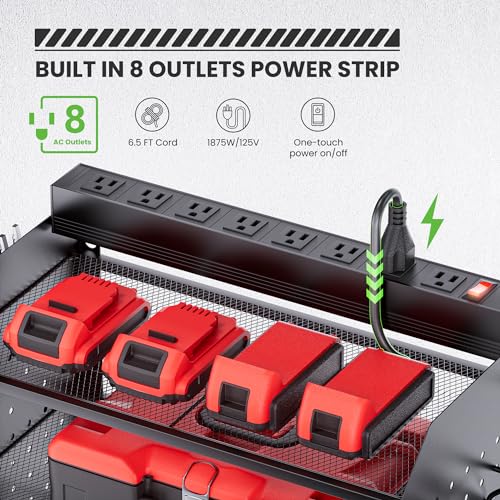
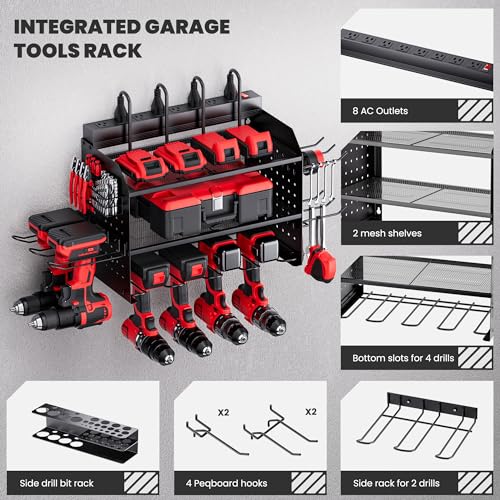
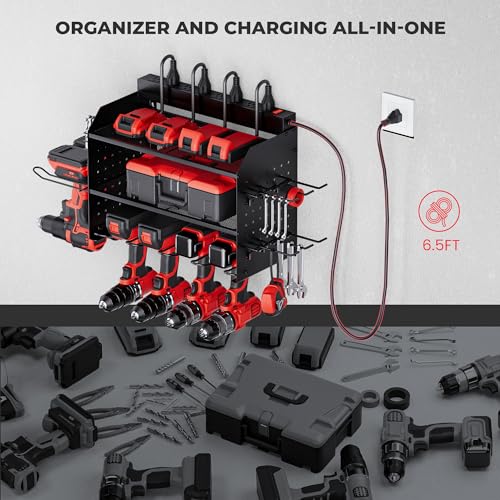
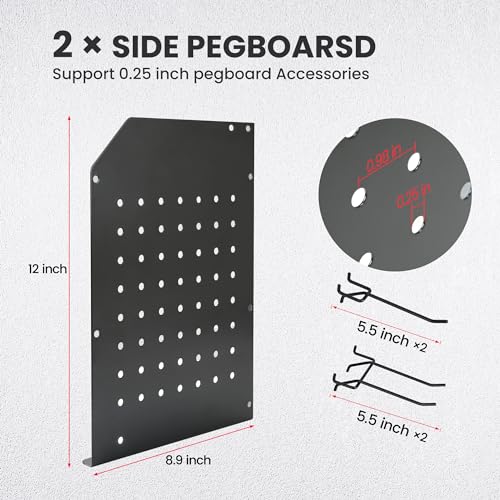
Prime TRZZ Power Tool Organizer Wall Mount with 8-Outlet


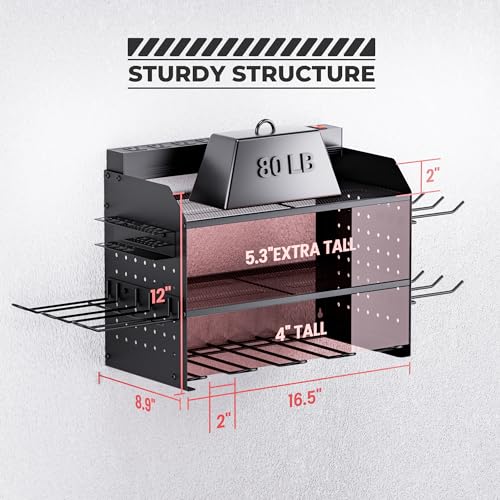
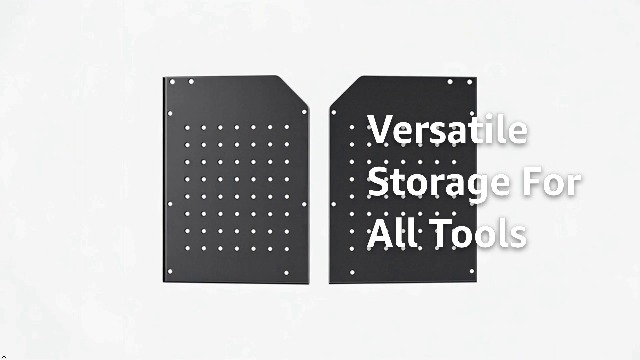
As an Amazon Associate we earn from qualifying purchases. Product prices and availability are accurate as of the date/time indicated.
You can also compare build styles and mounting approaches in our wall control 30-WRK-400WB review to see how different steel gauges and mounting patterns handle heavier loads.
When to Skip This and Call a Professional
This type of DIY re-anchoring is not ideal for situations involving electrical issues or major structural concerns. If the integrated power strip shows scorch marks, trips the breaker, feels warm, or has loose outlets, skip this and call a licensed electrician instead of rewiring or modifying it yourself. Likewise, if the organizer must support very heavy loads overhead or the wall is damaged, crumbling, or you are unsure about ceiling-joist or stud anchoring, follow the manufacturer weight capacity and anchoring instructions closely and get professional help rather than improvising with stronger screws.
Frequently Asked Questions
Why is my drill charging station organizer sagging even though I used the included anchors?
Included plastic anchors are often intended for light loads in ideal drywall and may not hold several drills plus chargers over time. Try verifying you hit at least one or two studs for the top rail and use anchors specifically rated for your wall material, and check that the weight is centered and not exceeding the shelf rating.
Can I fix an organizer that is pulling away from drywall?
You can try unloading it, removing the loose anchors, patching damaged drywall, and re-mounting into studs or with proper toggle anchors for drywall. If the drywall is soft, crumbled, or the holes are greatly enlarged, relocate the mount a few inches to solid material and confirm all assembly screws are tight before reloading.
How do I know if I overloaded my charging station organizer?
Check the manufacturer specifications for each shelf and for the total unit, then estimate your load including drills, batteries, and chargers. Signs of overload include visible bowing of shelves, forward tilt, screws loosening repeatedly, or the rack flexing when you hang a drill. Reduce the load, spread weight evenly, and avoid hanging extra tools on side hooks beyond their intended use.
Browse more picks in our Power Tool Wall Mount Organizers category, or see our related guide on Best Drill Holder Wall Mounts for Heavy Totes: 10 Sturdy Picks 2026.






Write Your Review
No reviews yet. Be the first to share your experience!