

Quick Answer
If your drill charging station organizer wobbles, the most common cause is loose wall anchors or assembly screws that have worked loose over time. Try tightening every assembly screw and wall fastener first, confirm at least one anchor is in a stud or proper masonry anchor, and redistribute heavy tools so weight is even across the shelves.
Why This Happens
Most wobble comes from the wall connection, not the organizer itself. Drywall anchors that are not rated for the load, screws that missed the stud, or concrete anchors that were not set correctly will flex every time you lift a drill off the rack. Over time that movement enlarges the anchor hole and the whole unit starts to sway, which is a common issue with many wall mounts for concrete and drywall.
Assembly hardware loosens with normal use. Vibration from pulling drills in and out, plugging and unplugging chargers, and bumping the shelves can back screws out slightly. Even a quarter turn of looseness at several joints adds up to noticeable side to side play, especially on taller three layer designs.
Uneven weight distribution is another frequent culprit. Placing two heavy drills and chargers on one side while the other side stays empty creates a twisting force. The same happens when the top shelf is overloaded with batteries and the bottom drill holders are empty, which can make the frame lean forward and feel unstable.
Wall and cord factors also contribute. An uneven wall surface, a slight bow in the drywall, or a power cord that pulls tight when chargers are plugged in can lever the organizer away from the wall. If the included power strip cord is stretched to reach an outlet, it can tug the shelf every time you move, so checking cord routing helps as much as checking screws.
Fixes to Try
Work from the simplest checks first and recheck for wobble after each step. You do not need to remove the whole unit unless an anchor has clearly failed.
- Tighten all assembly screws and joints. Use the correct screwdriver or hex key, snug every connection between shelves and side frames, and check side hooks and bit holders. If a screw spins without tightening, remove it, add a slightly larger washer or use a thread repair insert if the manufacturer provides one, then reseat it.
- Check and upgrade wall anchors. Confirm which fasteners hit studs and which rely on drywall anchors. Try replacing any plastic anchors that feel loose with hardware rated for your wall type, and for concrete or block use anchors designed for masonry. For ideas on what holds well, see this guide to the best cordless drill organizer for concrete wall installations.
- Level and shim the unit. Place a small level on the top shelf, loosen the wall screws slightly, gently push the organizer until it is level, then retighten. If the wall has a slight bow, try adding thin shims behind the mounting rail at the low spot so the frame does not rock.
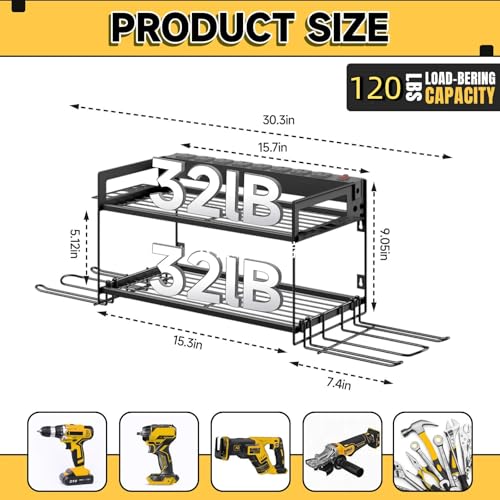
- Redistribute weight evenly. Place heavier drills and batteries toward the center and balance left to right, avoid concentrating all chargers on one shelf, and keep total load within the manufacturer’s rated capacity. A balanced load reduces twisting and helps the anchors stay tight longer.
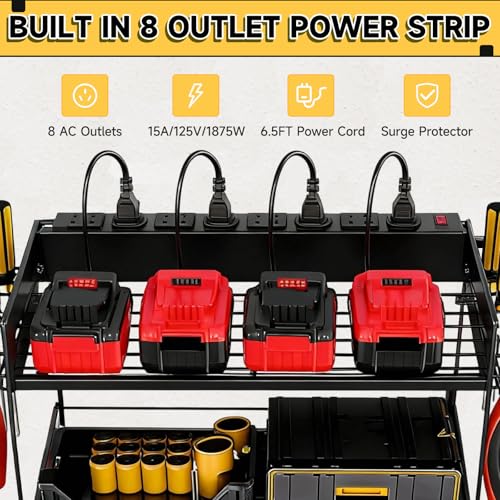
- Secure the power strip and cord. Make sure the built in power strip is fully seated on its mounts, use cord clips to route the 6 foot cord down the wall without pulling on the shelf, and leave a little slack near the outlet. A cord that is not pulling will reduce the wobble you feel when plugging or unplugging chargers.
If you are comparing different mounting styles while you troubleshoot, it can help to review how other systems handle stability, such as the setup described in this Gladiator GearTrack review, which shows how rail based mounting spreads load across studs.
When to Consider Replacing It
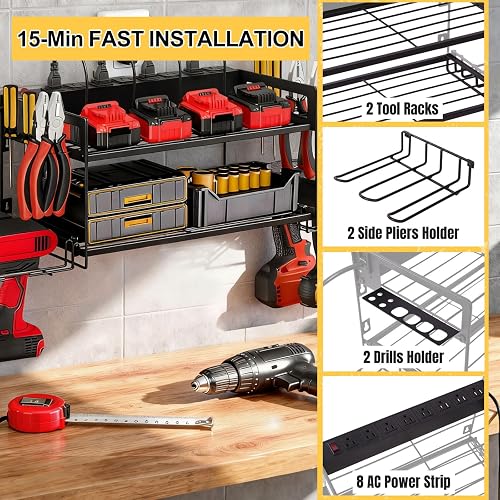
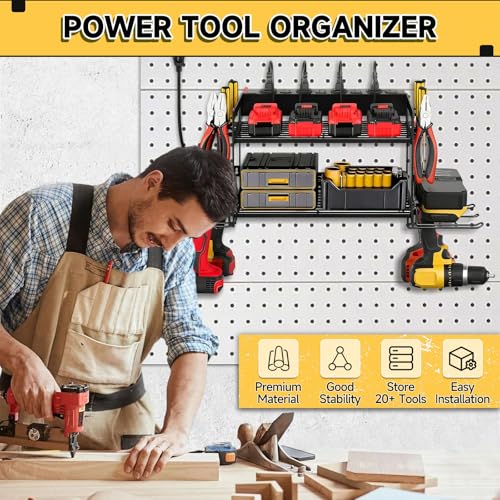
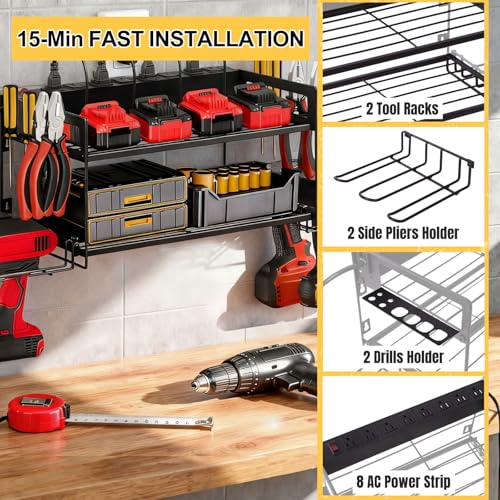
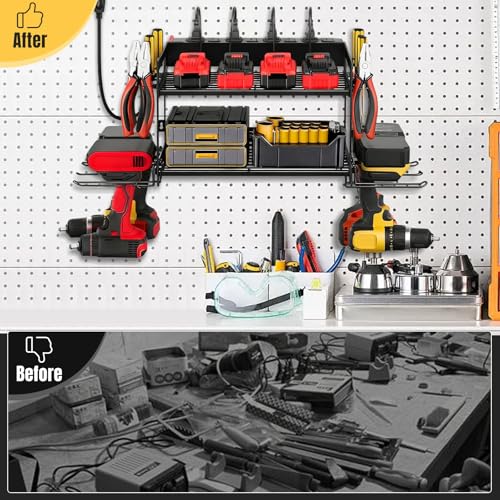
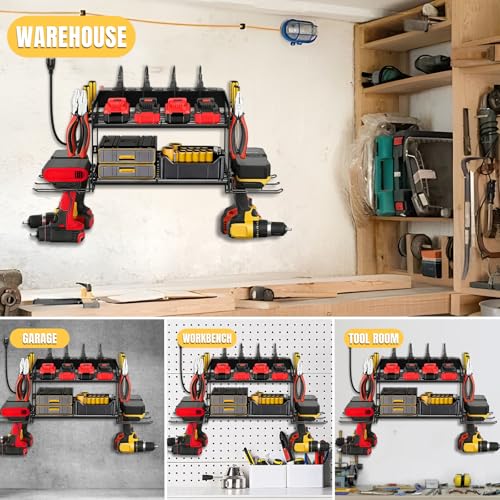
Consider replacement when metal is bent, welds are cracked, mounting holes are enlarged and will no longer hold a fastener, or the frame still sways after you have tightened everything and upgraded anchors. At that point continued repairs can make the wobble worse and put extra stress on the wall. If you would rather replace it than keep troubleshooting, one practical option with a two layer design, integrated charging, and wall mounted construction is this model:
This article contains affiliate links. If you buy through one of our links, TheGarageCrafted may earn a commission at no extra cost to you. Commissions never influence which products we recommend or how we rank them. Read our Affiliate Disclosure for details.

Prime CRELYSTER Power Tool Organizer Wall Mount




As an Amazon Associate we earn from qualifying purchases. Product prices and availability are accurate as of the date/time indicated.
When you install any replacement, follow the included instructions for wall type, fastener choice, and rated load limits, and recheck tightness after the first week of use when hardware often settles.
When to Skip This and Call a Professional
This DIY tightening and re anchoring approach is not ideal for situations involving electrical wiring beyond plugging into the built in power strip, or for an organizer that is pulling out of the wall with damaged drywall or crumbling masonry. If you see sparking, a warm outlet, a damaged cord, or a large section of wall that will not hold anchors, skip this and contact a licensed electrician or a qualified contractor. Always follow the manufacturer’s weight capacity and wall anchoring instructions, and do not try to rewire the power strip or bypass surge protection yourself.
Frequently Asked Questions
Why does my drill charging station organizer wobble even after I tighten the screws?
One common cause is that the wall anchors themselves are loose, not the assembly screws. Try checking whether the screws are actually biting into a stud or a proper masonry anchor, and look for enlarged holes that let the whole rail move even when the frame feels tight.
Can I fix a wobbly organizer on drywall without hitting a stud?
You can try anchors rated for drywall, but they are not a good fit for heavy, frequently used drill stations that hold multiple tools and chargers. For the most stability, try to hit at least one stud for the top rail and use high quality wall anchors for the remaining points, following the manufacturer’s guidance for your wall type.
How do I stop my charging station from wobbling when I unplug drills or chargers?
That movement is often from cord tension and one sided weight. Try routing the power cord with slack and cord clips so it does not pull on the shelf, steady the drill with one hand while unplugging with the other, and keep weight balanced left to right so the frame is not already leaning.
Browse more picks in our Power Tool Wall Mount Organizers category, or see our related guide on Wall Control 4 ft. Metal Pegboard Review.





Write Your Review
No reviews yet. Be the first to share your experience!